
Airport transfer
Trip.com is the biggest online travel agency in Asia with 400 million+ users.
TYPICAL USER
Customer service agents
SCENARIO
Deal with calls and try to solve issues for customers
GOAL
Increase efficiency Reduce task-handling time
MY ROLE
UX & UI design UX research
TEAM
PM Frontend Dev Backend Dev
TIMELINE
3 months
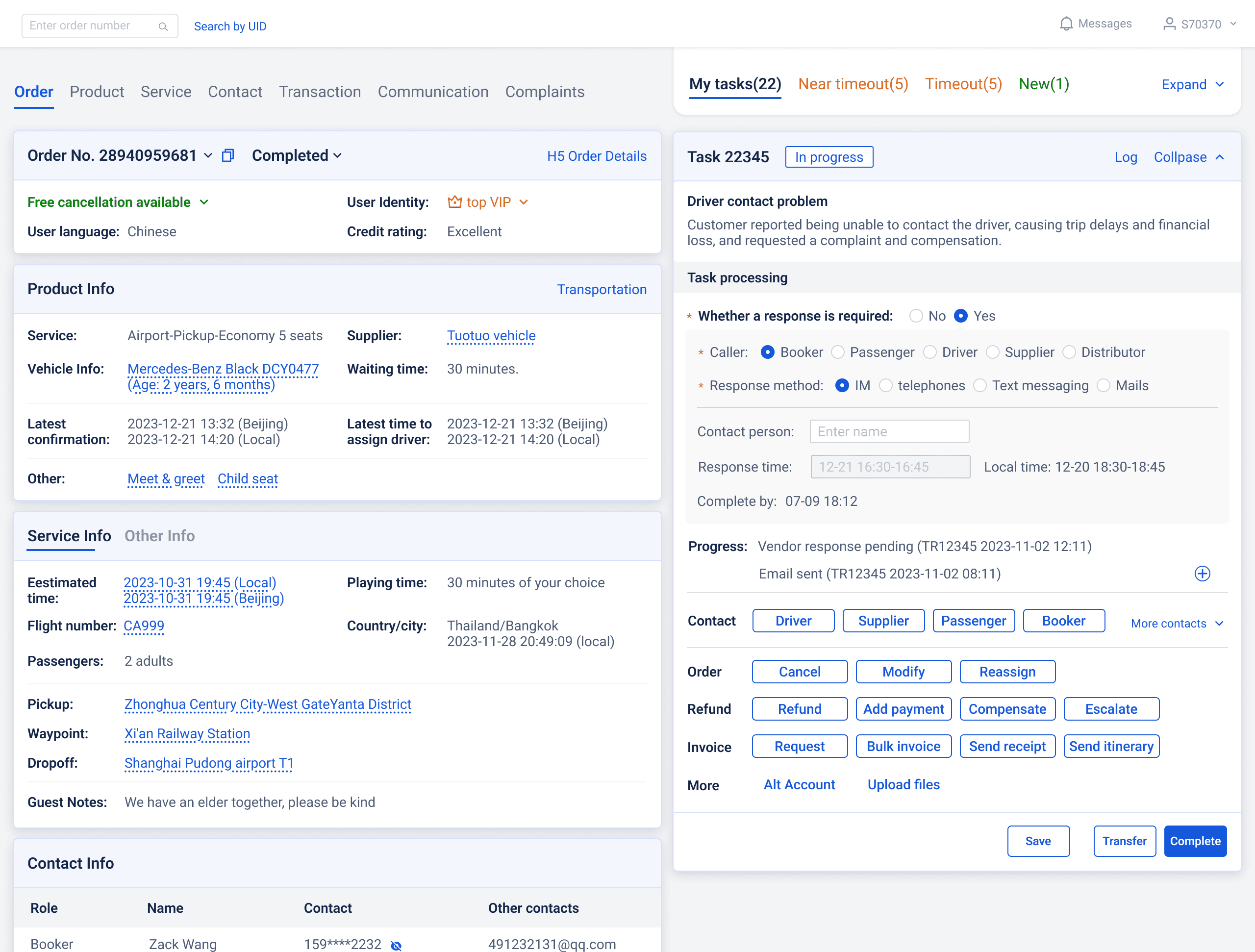
What is the customer service system?
A 2-page web-based system to help solve customer inquiries
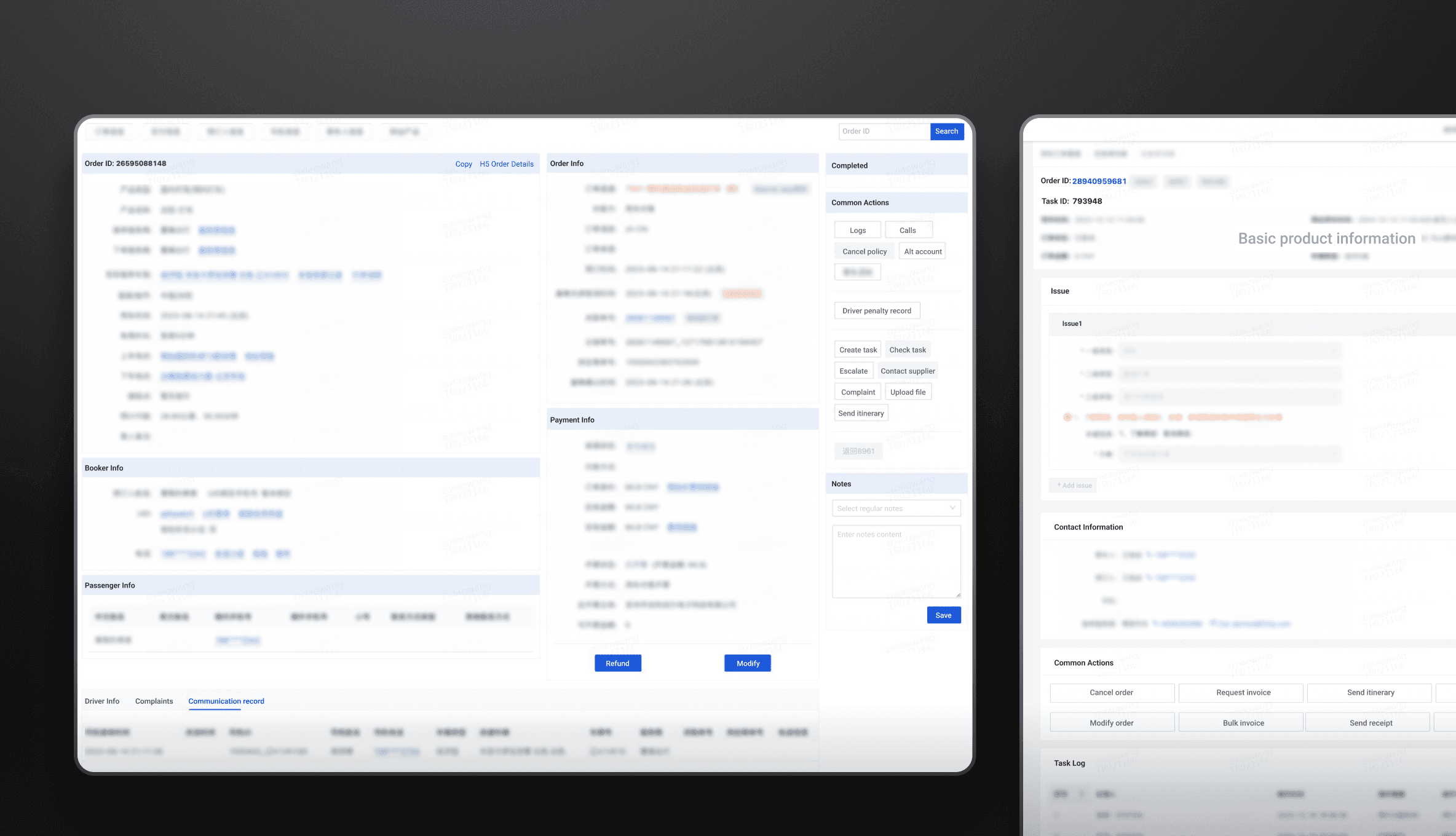
Agents use the order page for information and actions to solve customers' problems. They then fill out forms on the task page so that the system tracks every task.
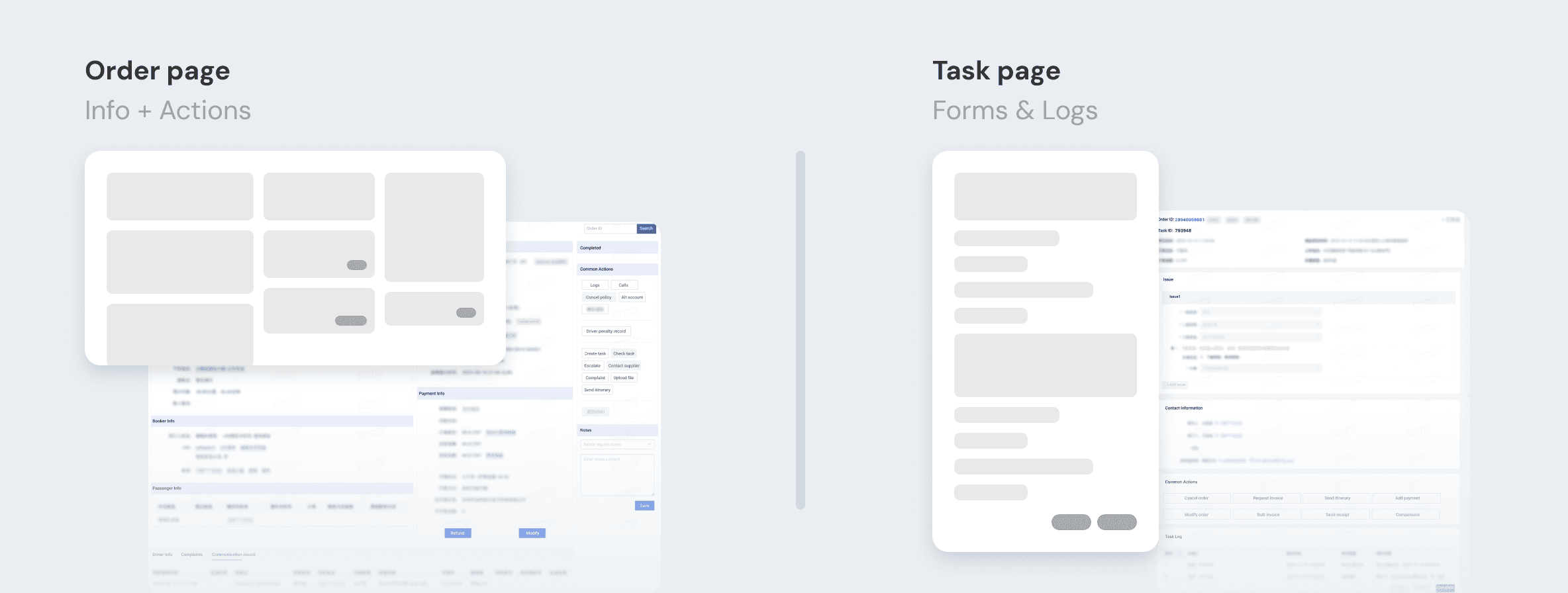
Who are our users?

Frontline agent
Start tasks from scratch
Handle multiple tasks
Second-line agent
Handle transferred tasks
Quickly clear all tasks
PM & Engineer
View order details & debug
(<5%)
Goal
Reduce both agents’ task-handling time
Higher efficiency = Lower customer service costs
Constraint
Every space matters!
As the most frequently used system by customer service agents, instead of a clean, spacious layout with strong hierarchy, they prefer a dense structure that minimizes scrolling and clicks.

Challenges
Clunky workflow
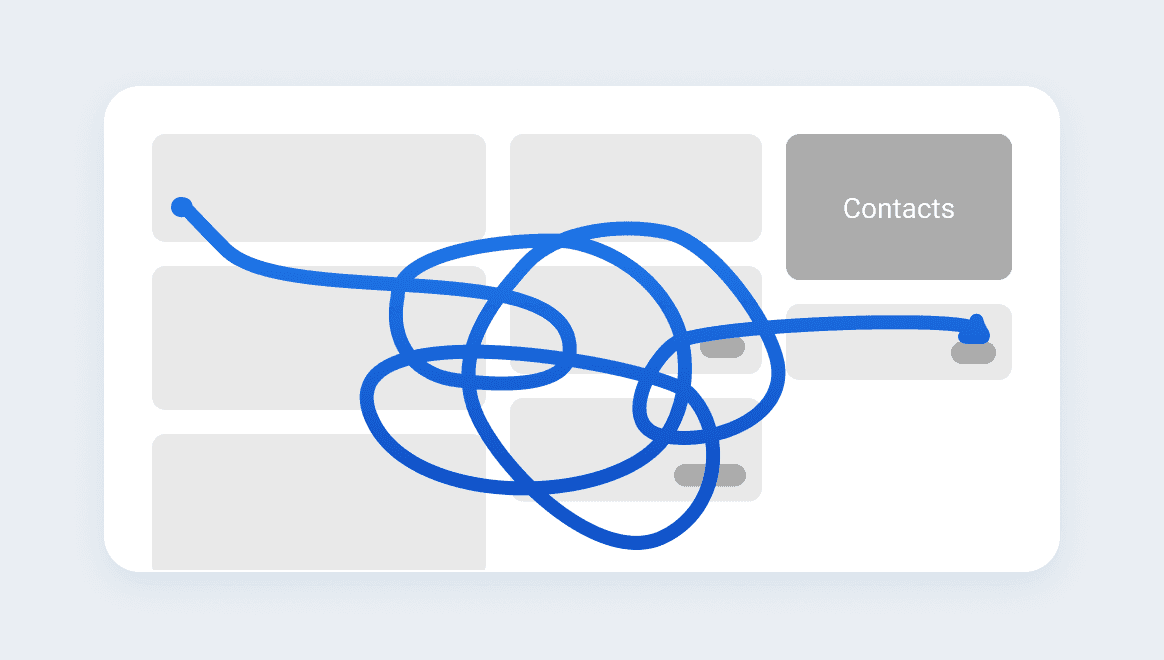
Constant tab switching
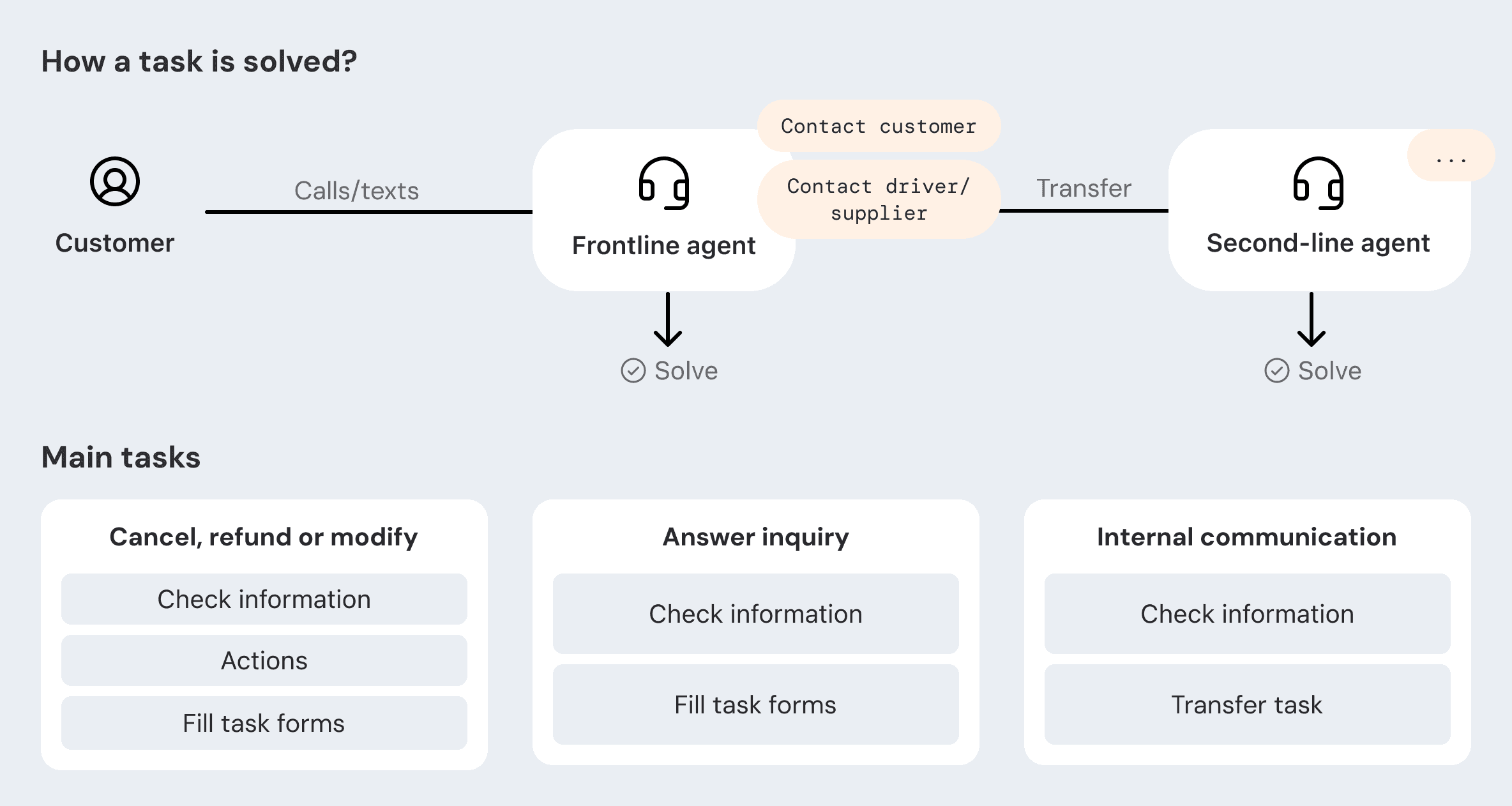
Understanding scenarios and workflows
After interviewing an expert user and shadowing agents

Product direction

Combine task and order page
Step 1
They are intertwined, so they should be on the same page
Separate information and action
Step 2
After presenting to agents, we found that contacts and actions are integral to their task flow. This framework didn't meet their needs.
Streamline task workflow
Step 3

Task switching
Multitasking is a core part of the agent's workflow, so we introduced「My Tasks」feature to help agents switch tasks and manage priorities.
Iteration 1
A floating drawer
「My Tasks」on the order page as an entry to open a drawer with task lists.
Saves space
More information when expanded
1 extra click
High time cost for second-line agents who clear dozens in brief shift windows
Iteration 2
Expand and collapse
「My Tasks」as an expandable module.
Remembers expand/collapse state, so it fits both roles
Saves 1 step
Raises visual hierarchy to avoid confusion
Design strategy

Frontline agent
On call with the customer
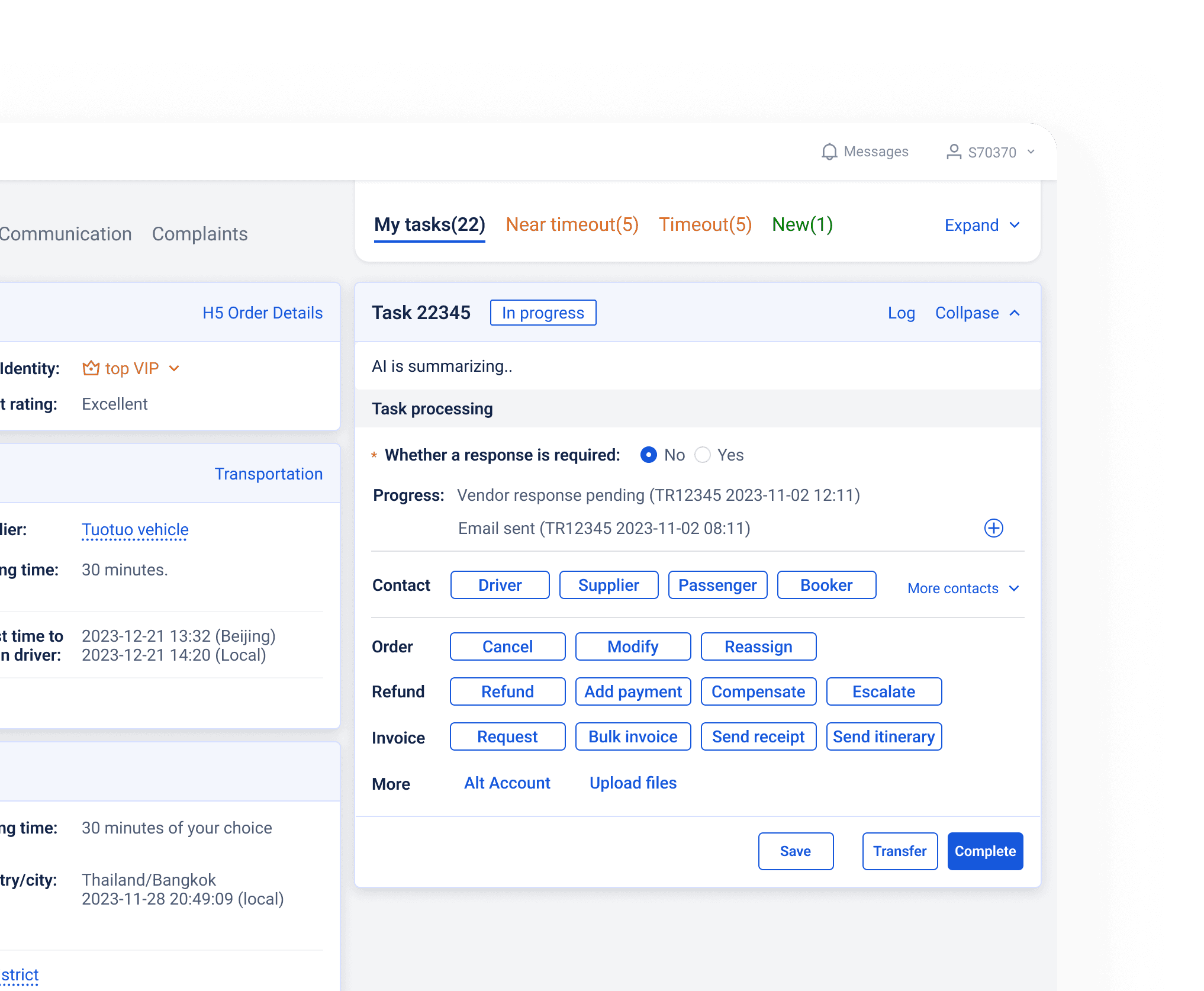
The system automatically creates a task under the related order, with GPT generating a call summary to save agents' time. They can view all relevant information on the first screen.
Frontline agent
Multiple tasks with the same order
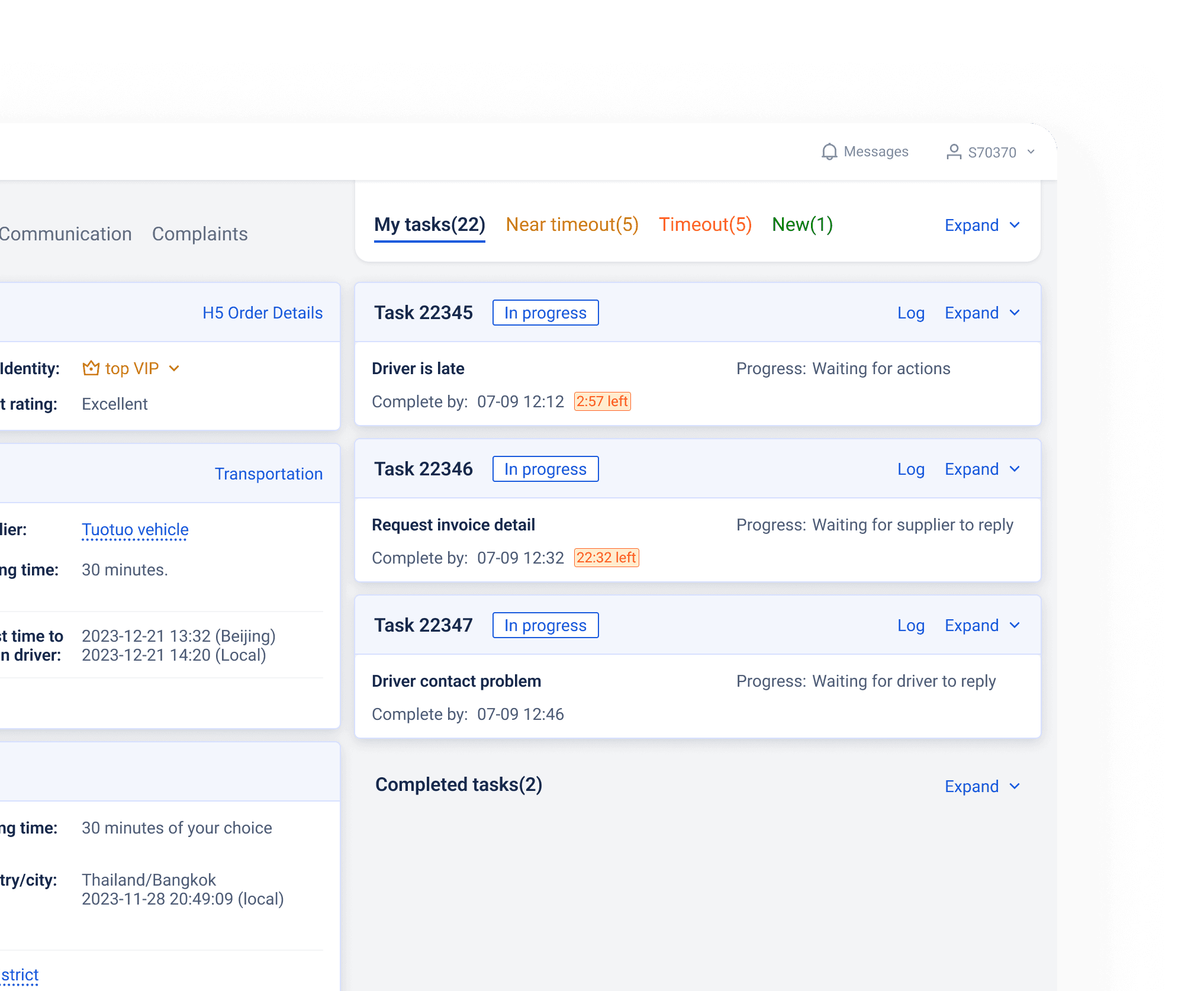
The average number of tasks per order (for those with calls) is 1.7. For tasks within the same order, we collapsed in-progress tasks and provided key information to help agents identify and prioritize them. Completed tasks were also collapsed to reduce cognitive load.
Second-line agent
Clear all tasks
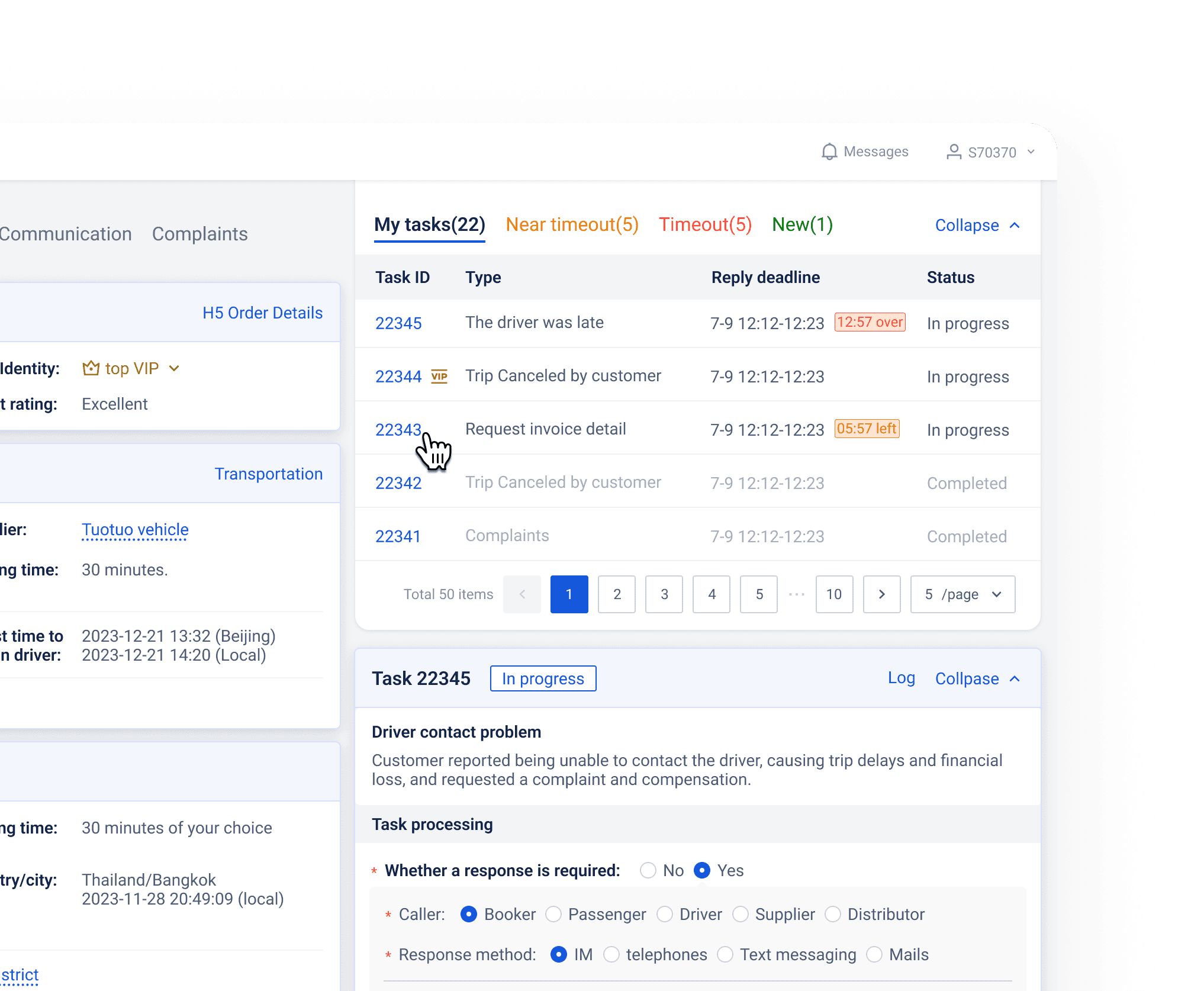
They handle tons of transferred tasks and must complete them quickly when taking breaks. The expanded My Tasks module helps them switch and complete tasks efficiently.
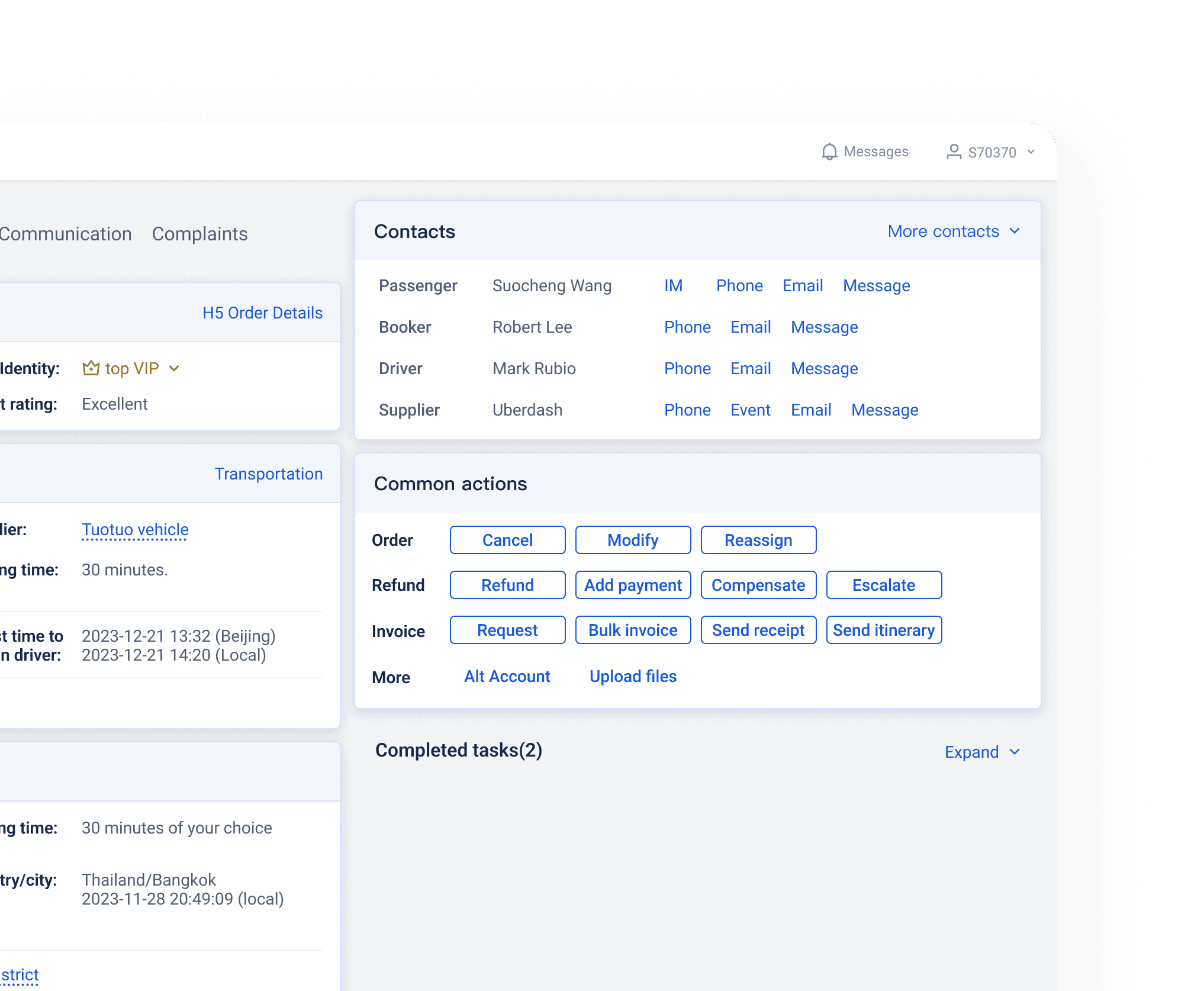
PM & Engineer
View order details and debug
They occasionally use this page to check information and identify issues with an order. Often, there are no tasks, but they may need to contact others or make changes to the order.
Final delivery

Impacts
Average task handling time
1.89min
Customer service cost
17%